Verbatim import (RSS only)
Verbatim import takes the content in the feed into your site as a draft without rewriting it. No AI is used. It is meant for cases such as showing your own publications on another site or taking a feed your content partner allows.
Turning it on
Campaign wizard › Writing › Writing mode › Verbatim import. The option works only with an RSS source.
Choosing it opens a confirmation dialog; it cannot be turned on until you tick "I take full responsibility for the copyright and publishing rights of this content." The confirmation is recorded with your user name, date and IP address, and a yellow warning band is shown on every step of the campaign.
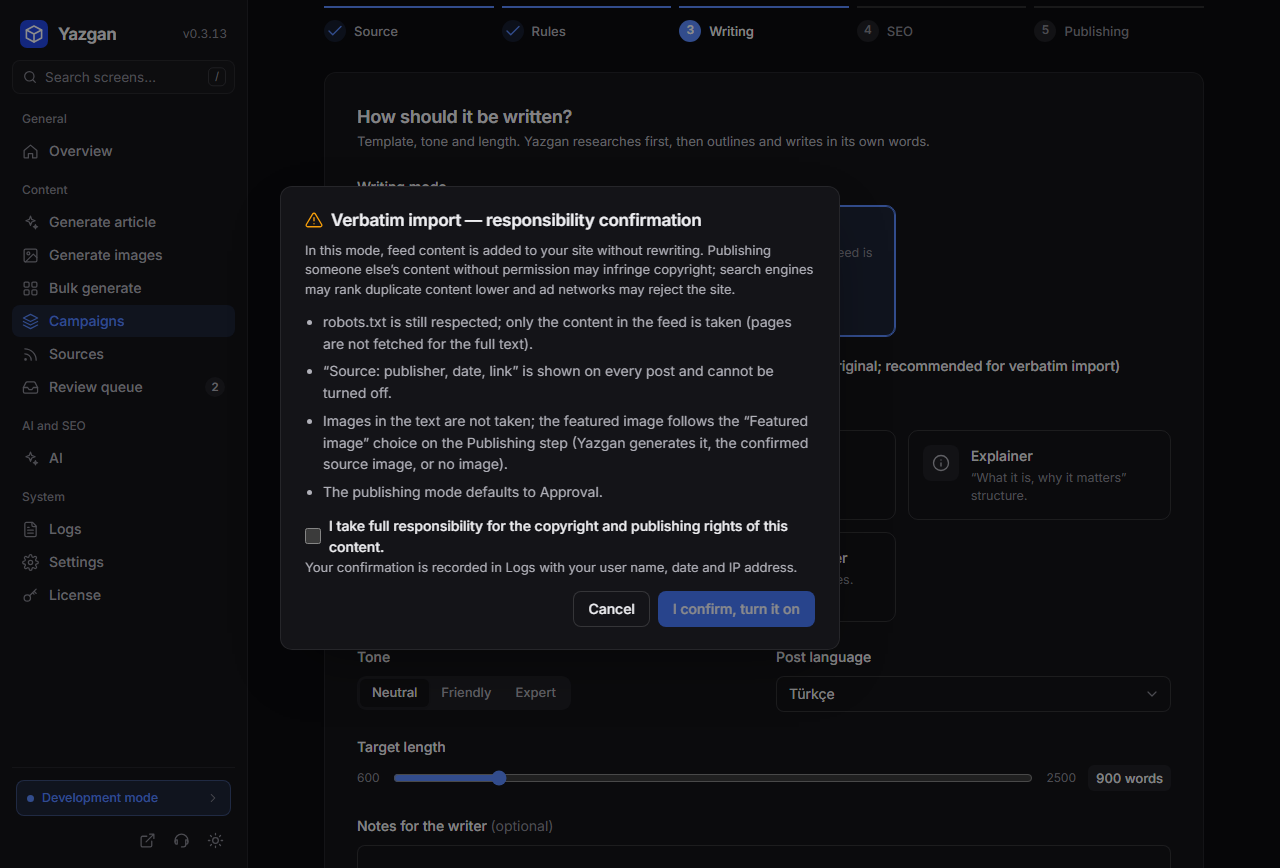
The I confirm, turn it on button stays disabled until the box is ticked.
Safeguards
- robots.txt is still respected; if the address is closed to crawling, the item is not taken.
- Pages are not fetched for the full text — only the content in the feed is taken. If the feed only gives a summary, the summary plus a "Read the rest at the source" link is added.
- Images in the text, embedded content and scripts are not taken; links from the source become plain text.
- "Source: publisher, date, link" is shown on every post and cannot be turned off.
- The "prepared with AI" note is not printed (the text was not written by AI).
- The publishing mode defaults to Approval.
- Optional: Use the source as the canonical URL — points search engines to the original (written to the Yazgan, Yoast and Rank Math fields). Recommended with verbatim import.
Featured image
All three choices also work with verbatim import (Publishing step › Featured image). If Source image is chosen, only the image address in the feed is used; the page is not fetched. See Images.
Responsibility
Publishing someone else's content without permission may infringe copyright; search engines may rank duplicate content lower and ad networks may reject the site. Yazgan does not give legal advice: if you are not sure you have the publishing rights, use the Rewrite with AI mode.