Sources
A source is what Yazgan watches. A source alone does not produce posts; it works once it is attached to a campaign. Several campaigns can use the same source.
RSS / Atom feed
- Yazgan › Sources › Add source, type RSS.
- Enter the feed address. On most sites it ends in
/feed,/rssor/rss.xml. - Give it a Source name and click Save source.
If the address is not a feed
If you enter the address of a news page instead of a feed, Yazgan notices when saving and on every check:
- the source moves to Warning and shows "This address is not an RSS feed";
- if the page links to a feed, it is suggested; fix it in one click with Use suggested feed;
- if none is found, enter the site's RSS address or use the News site type.
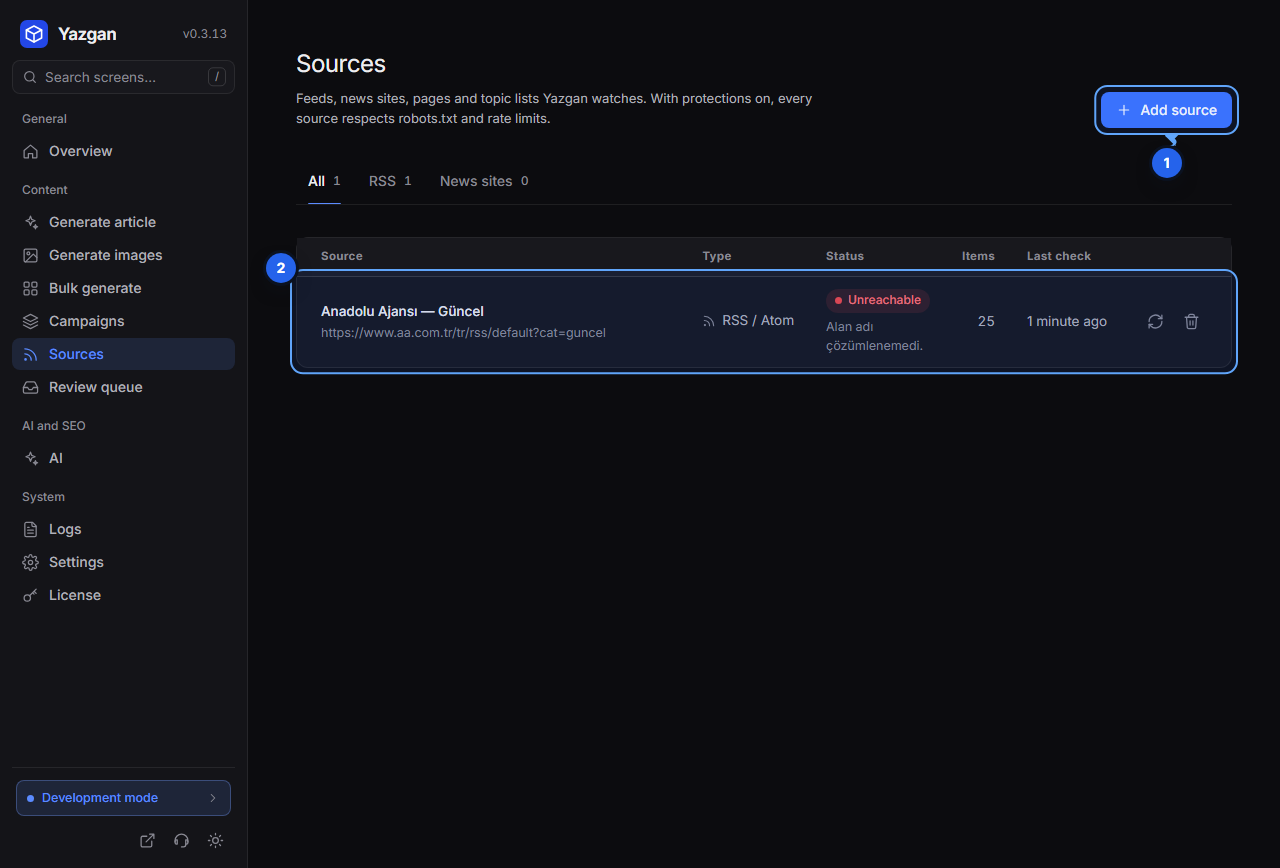
- Add source — RSS or News site.
- Source list: Status, Items and Last check columns.
News site
Under Add a news site, type only the domain and click Discover. Yazgan finds robots.txt, the news sitemap, RSS, category and archive pages and the NewsArticle schema by itself and shows what it found under Discovery result.
Source list
| Column | Meaning |
|---|---|
| Status | Working, Warning (e.g. not a feed) or an error; a source never tried shows Not tested |
| Last check | The last save, test or queue run |
| Items | Number of items found in the feed at the last check |
| Campaigns | Number of campaigns using this source |
Polite crawling
While protections are on (default), for every source:
- paths blocked in robots.txt are not fetched;
- a wait is applied between requests per domain (Settings › Per-domain delay; if robots.txt asks for longer, that applies) and a single connection is used;
- requests use an honest identity (the "Yazgan" user agent).
The source text is only an input of facts: the post is rewritten and passes the quality gate. To take feed content as it is, see Verbatim import.