Modules
3. Turn on the modules
Modules are grouped into six groups. Turn a module on with the switch on the right of its card (1); clicking the card opens the details, the Impact information and the settings. After making changes, click Save in the bar at the bottom. The counter on the top row shows how many modules are on (e.g. "6 / 19 modules on").
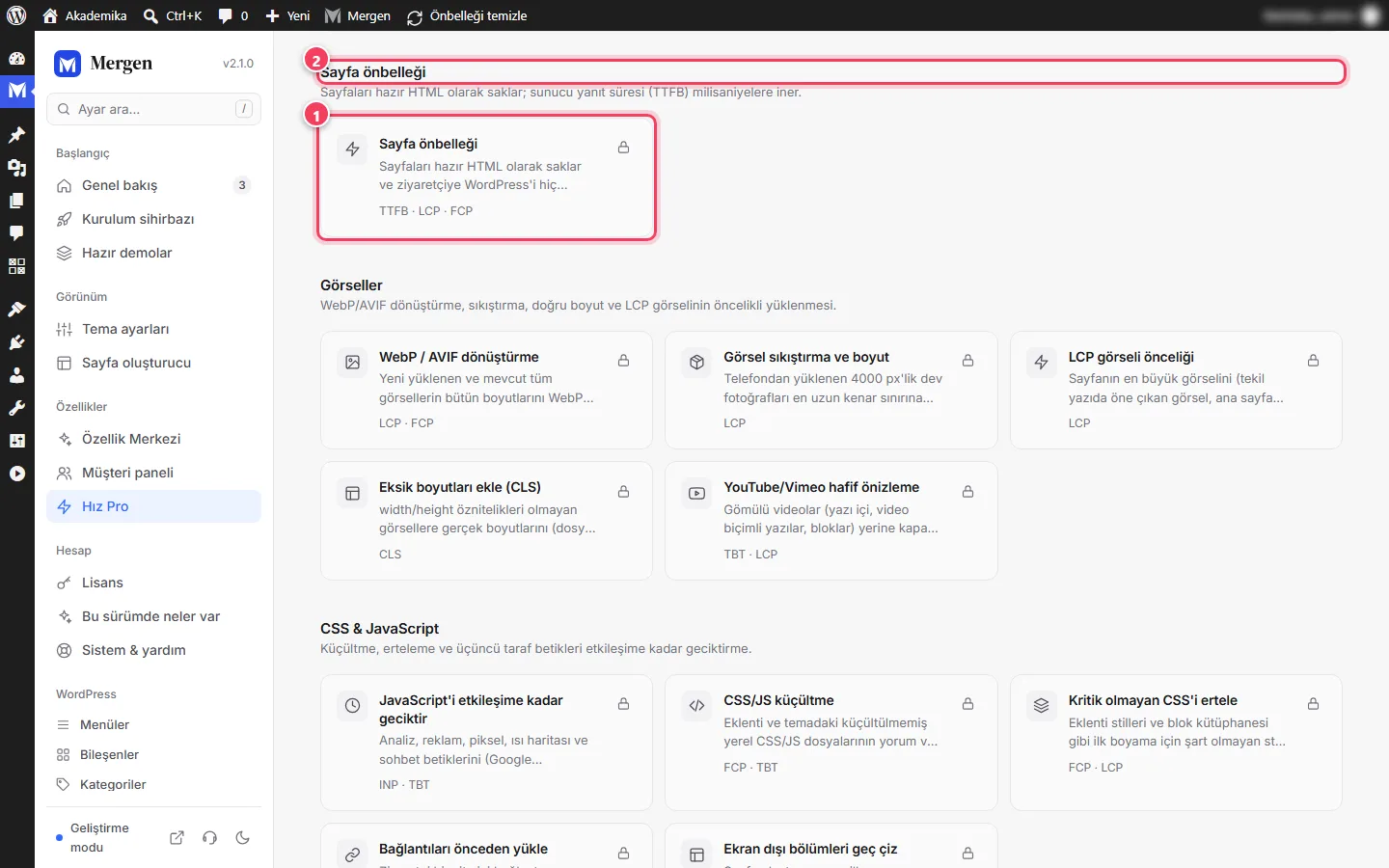
| Group | Module | What it does |
|---|---|---|
| Page cache | Page cache and automatic preloading | Serves pages as ready-made HTML; when content changes, refreshes the related pages and warms them up in advance |
| Images | WebP / AVIF conversion | Creates lightweight versions of the images you upload and serves them to browsers that support them (bulk conversion included) |
| Image compression and sizing | Shrinks and compresses large images | |
| LCP image priority | Loads the page's largest image (usually the headline) first | |
| Add missing dimensions (CLS) | Prevents layout shift by adding dimensions to images missing a width/height | |
| Lightweight YouTube/Vimeo preview | Shows the video only as a cover image until it is clicked | |
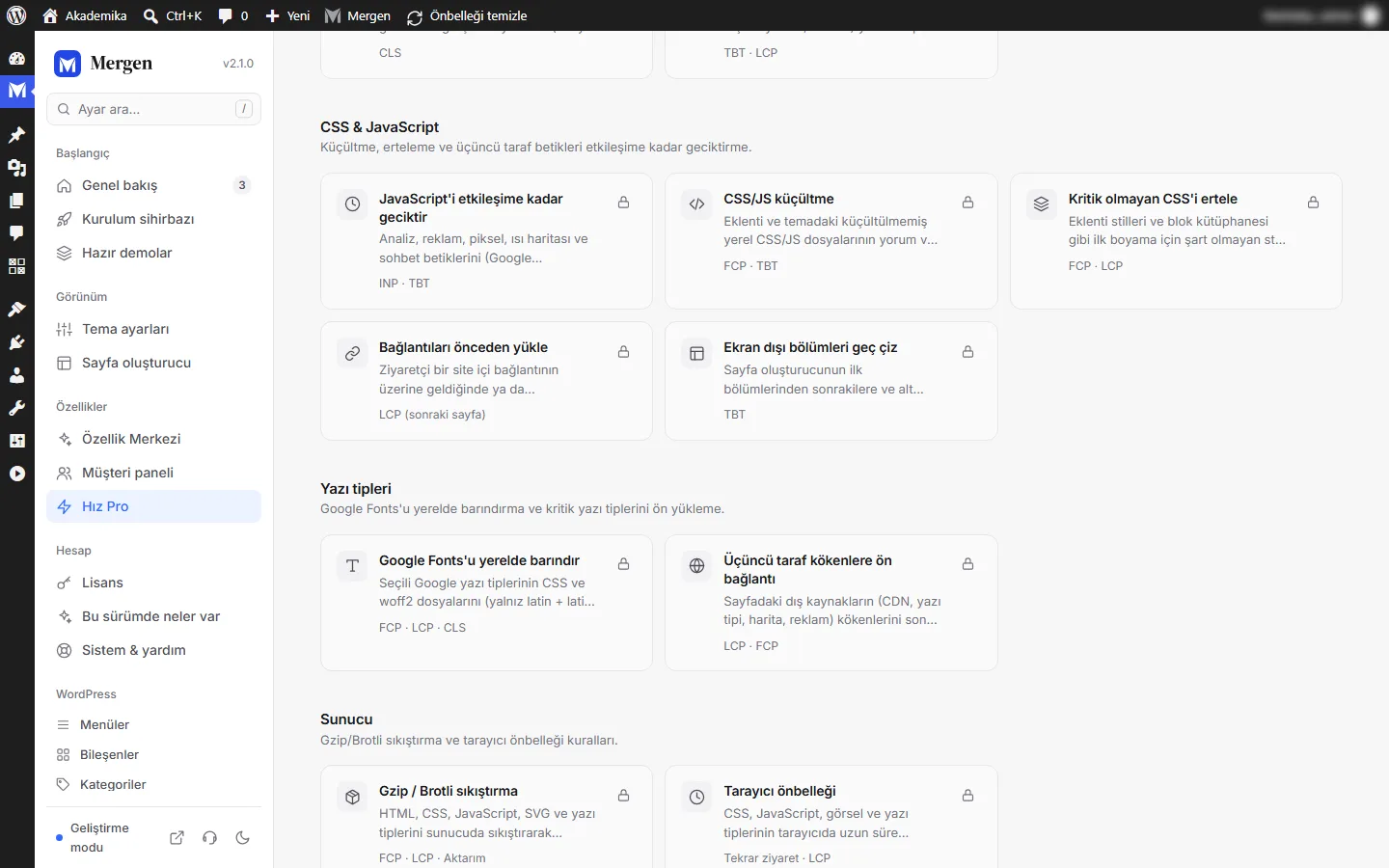
| CSS & JavaScript | Delay JavaScript until interaction | Holds ad and analytics scripts until the visitor interacts with the page |
| CSS/JS minification | Removes unnecessary whitespace from files | |
| Defer non-critical CSS | Loads styles not needed for the top of the page later | |
| Preload links | Prepares the page the visitor is about to click in advance | |
| Render off-screen sections lazily | Postpones drawing the sections further down until they come into view | |
| Fonts | Host Google Fonts locally | Serves fonts from your own server (also recommended for KVKK) |
| Preconnect to third-party origins | Sets up connections to external services in advance | |
| Server | Gzip / Brotli compression, Browser cache | Compresses files and has the visitor's browser store them |
| Database | InnoDB conversion, Autoload analysis, Scheduled maintenance | Converts tables to the faster format, finds unnecessary autoloaded options, and regularly cleans up revisions, drafts and transient data |
| CDN | CDN | Serves image, CSS and JS files from your CDN address |
Recommended order
Don't turn modules on all at once; turn them on in the order below and check your site's front end (homepage, a post, and the cart and checkout in a store) after each step:
- Page cache — this is where the biggest gain is.
- The Images group — WebP/AVIF, LCP priority, missing dimensions.
- The Fonts group.
- The Server group.
- The CSS & JavaScript group — the group with the biggest gains but also the most potential compatibility problems; turn it on last.
- Database — weekly Scheduled maintenance.
- Click Test now again and compare with your first test.
Caution: The page cache is not applied to logged-in users or to the cart, checkout and my account pages; these pages are always live. Still, place a test order on store sites after turning it on.
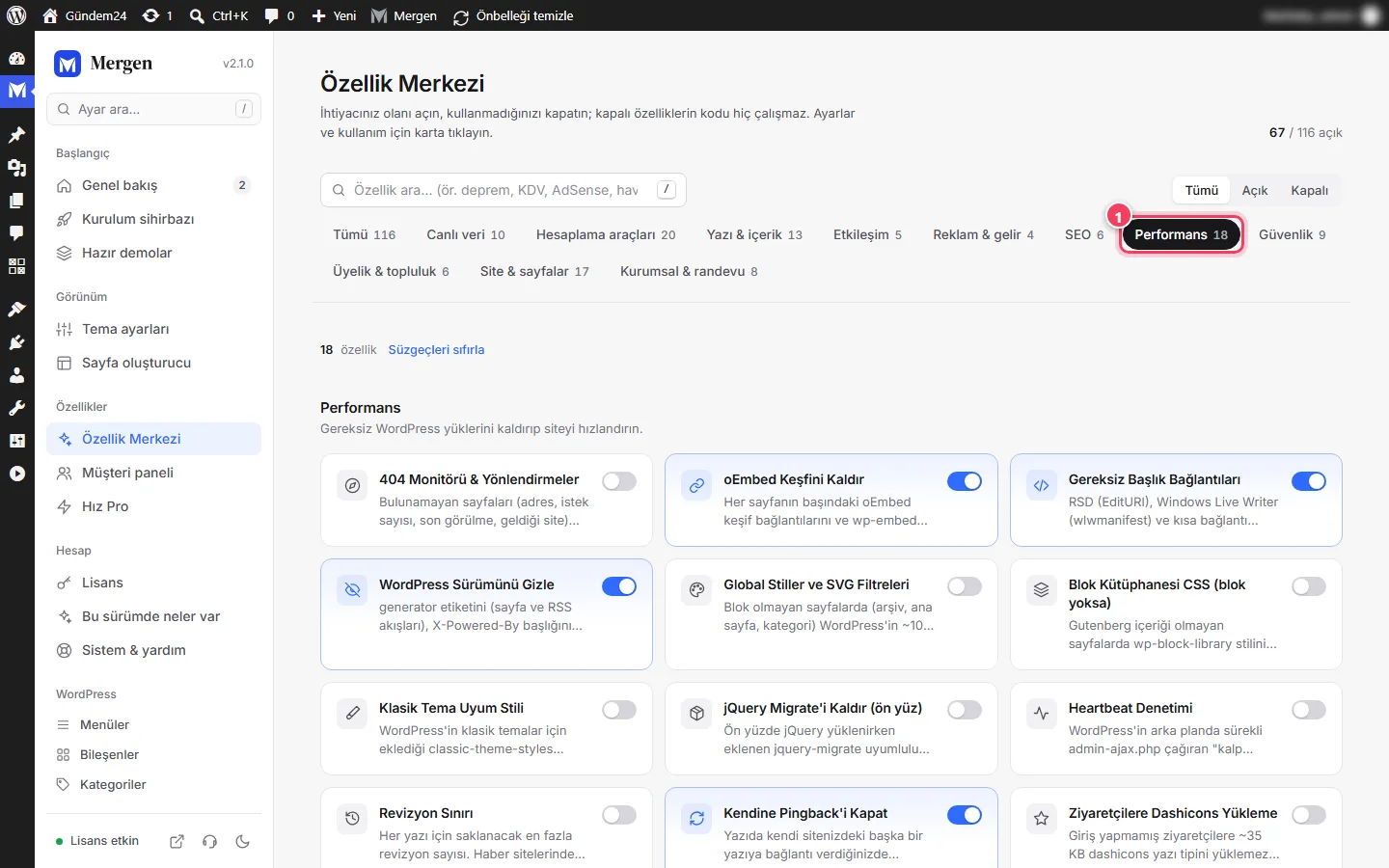
4. Performance settings in the Feature Center
Independently of Speed Pro, free performance settings included with the theme license are in the Feature Center › Performance category: removing oEmbed discovery, unnecessary header links, removing the emoji script, removing jQuery Migrate, Heartbeat control, revision limit, deferring scripts, DNS prefetching and more (18 features).